API Information
Introduction
If you wish to utilize our API to access information and perform actions on our servers, you need to follow this documentation.
API Key
In order to make HTTP requests, you must create an API Key . You can create as many as you want and delete them at your convenience.
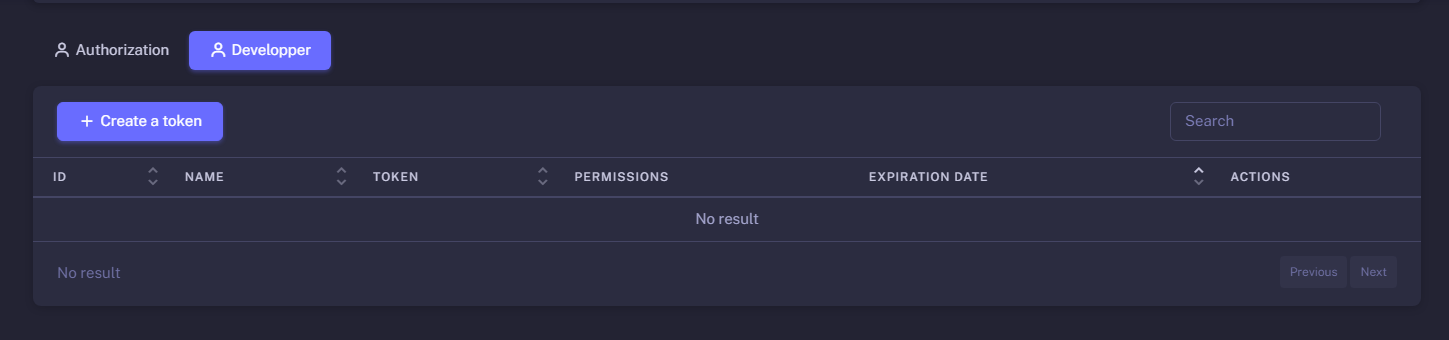
To create them, go to your developer settings and click on the "Create a token" button.
You will encounter a modal where you can set the name of your token, the expiration date, and the permissions that the token will have.

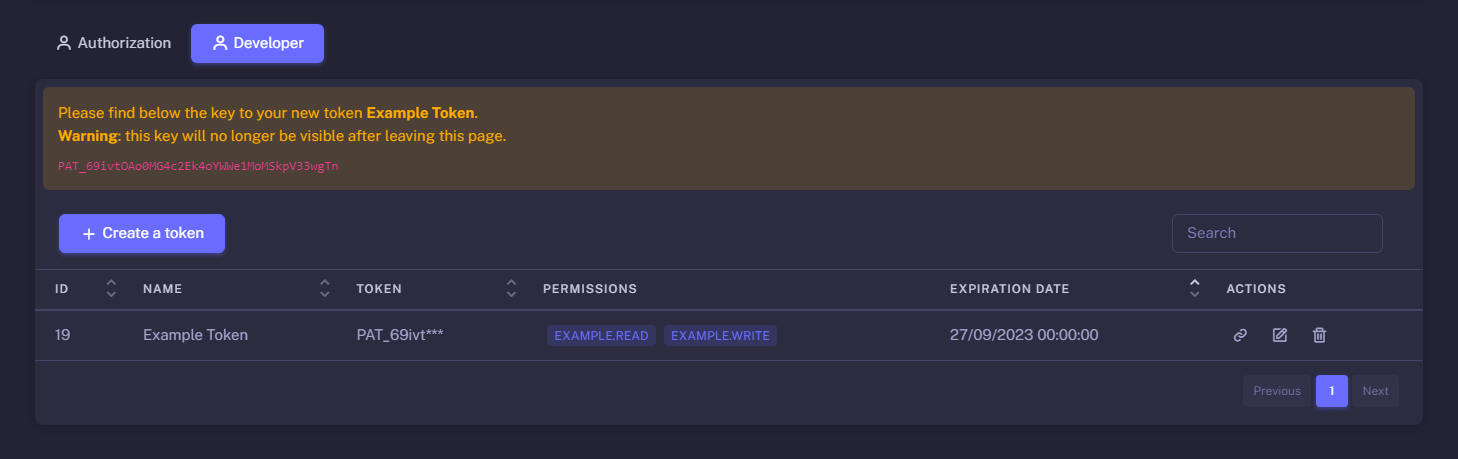
Once you have created your token, you will receive a message containing your token.
Be cautious; you won't be able to view it again. If you lose it, you'll need to update the expiration date or delete it and create a new one.
Send a Request
After creating your token, you can send a request to our API using any HTTP client, such as Postman, node-fetch, axios, etc.
You need to set the Authorization header with the value Bearer {{ YOUR_TOKEN }}.
API Endpoints
You can find all the endpoints of our API on the left side of this page, and you can also click on them to access the documentation for each category.
Ratelimits
On all requests, you can see the Ratelimit section where you'll find the ratelimit for the endpoint. If you exceed the ratelimit, you'll receive a 429 Too Many Requests error.
Additionally, there are different categories of ratelimits: Global (account & token), Route, and Token.
For each category, you can monitor the ratelimit's progression and the reset timestamp of the ratelimit in the Headers section of the response.
Permissions
On certain endpoints, you will encounter a Permissions section. This section will indicate the permissions required to access that endpoint. If you lack the necessary permissions, you'll receive a 403 Forbidden error.
You can add the required permission during the token creation process, or you can edit it on the developer settings page. If you don't see the permission you need, it's because you don't have permission to access it.
Scopes
On some endpoints, you will find a Scopes section. This section specifies the scopes you need to request from the user to access that endpoint. If the user doesn't grant the required scopes, you'll receive a 403 Forbidden error.
To request scope access from the user, you need to redirect to a URL with the following format:https://dashboard.kobralost-rp.com/tokens/{{ ACCOUNT_ID }}/{{ TOKEN_ID }}/authorize?scopes={{ scopes }}.
You can generate the base URL by clicking on the icon on the developer settings page.
You should replace {{ scopes }} with the scopes you wish to request, separated by commas.
For example, if you want to request the scopes punishments-moderation.read and punishments-team.read, you should replace it with punishments-moderation.read,punishments-team.read.
Questions
If you have any questions about the API, you can send a message on our Discord in the «🤓»-développeur channel. If you don't see it, you need to select the "Development Access" category.
Feature Requests
If you have any feature requests, you can send a message on our Discord in the«🤓»-développeur channel or create an issue on our GitHub.